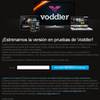
Ad-supported streaming platform offering mixed catalog of free and paid movies in solid quality
Ad-supported streaming platform offering mixed catalog of free and paid movies in solid quality
Pros
- Clear and stable video/audio quality
- Option for offline playback of purchased titles
- Simple filtering and browsing tools
- Competitive rental pricing
- User reviews and basic social media integration
Cons
- Limited availability based on region
- Relatively small selection of recent releases
- Occasional playback and navigation issues
- Language switching not always available
- Some features require further refinement
A browser-based streaming platform offering movies and series for PC users
Overview
Voddler introduces a film and documentary streaming experience designed for Windows users, aiming to bring an accessible catalog directly to your desktop. Initially available in selected European countries, Voddler focuses on delivering content ranging from classic blockbusters to documentary features, all managed via a blend of browser integration and desktop application support.
Installation and Regional Access
The setup process requires downloading a lightweight desktop client, which acts as a bridge for browser-based playback. For users interested in offline viewing, there is a dedicated offline player, allowing legally purchased content to be viewed without an internet connection. However, access remains region-locked with rollouts limited to specific European markets.
User Interface and Navigation
Voddler’s interface combines both browser and desktop elements. Browsing the collection is straightforward, offering filtering options such as Most Popular, Highest Rated and Newly Added. There are sections for Movies, Documentaries and TV Series, with visible synopses, trailers, and user reviews for each title. The player defaults to full-screen mode when playback begins, though windowed mode is accessible via keyboard shortcuts.
Streaming Quality and Performance
Video and audio quality are notable strengths of the platform. Streaming typically matches standard DVD levels, offering clear visuals and crisp sound without buffering interruptions on moderate connections. The desktop client assists in stabilizing streams, though some users may encounter occasional delays in film loading.
Content Library
Voddler provides a mixed catalog of free ad-supported content and pay-per-view films. Rental prices are competitive, ranging from €2 to €4 with the option to download for offline viewing. The library sits in the mid-range, with a heavier emphasis on older films and documentaries. Newer releases are infrequent, and content selection can appear limited depending on the region and language settings.
Language and Accessibility Options
For foreign-language films, there are occasions where dubbing is present. Language switching is not always available, requiring manual searching with specific tags (such as "V.O." for original version) to find non-dubbed options. Subtitle integration works well and can be enabled easily after adverts (where present) have finished.
Social Integration and Reviews
Voddler includes social features such as sharing titles via Facebook and Twitter, alongside integrated user review and rating systems. The recommendation engine suggests related films based on current viewing but could benefit from more personalized curation.
Areas for Improvement
While the platform excels in delivering stable streams and a clean interface, there are still improvements to be made. The film catalog, especially in non-English speaking regions, remains sparse. Navigation can be dense for new users, and occasional bugs, such as films not starting or social features not responding, have been reported.
Verdict
Voddler offers a promising streaming platform for those seeking an alternative to traditional rental or physical media services. The blend of online and offline viewing options, combined with reliable streaming quality, makes it suitable for users wanting a straightforward movie experience. Growth in content diversity and fine-tuning of usability features will be necessary for Voddler to realize its potential in the competitive streaming market.
Pros
- Clear and stable video/audio quality
- Option for offline playback of purchased titles
- Simple filtering and browsing tools
- Competitive rental pricing
- User reviews and basic social media integration
Cons
- Limited availability based on region
- Relatively small selection of recent releases
- Occasional playback and navigation issues
- Language switching not always available
- Some features require further refinement